Why is it hard to edit a PDF on Linux?
The best-known PDF editor isn't an option. Adobe publishes Acrobat's technical requirements for Windows and macOS, and there is no Linux build. Linux users combine free tools instead, and each one covers part of the job.
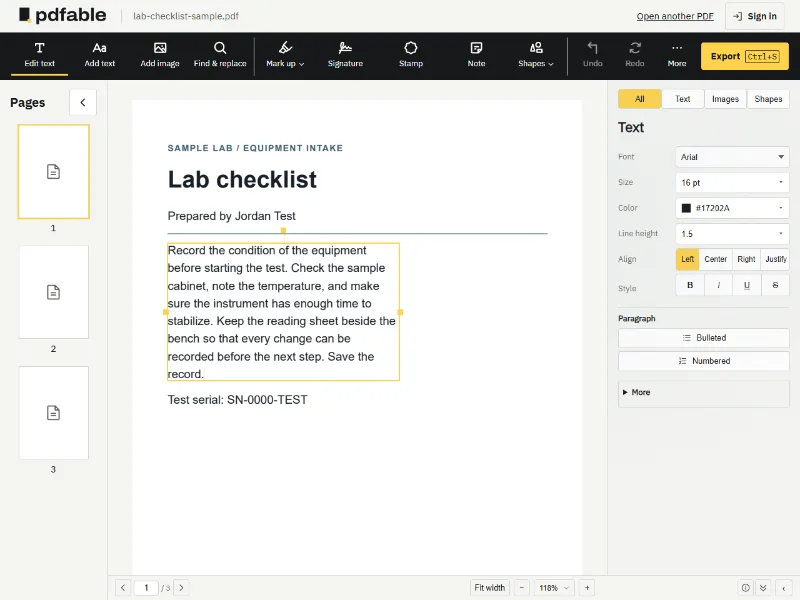
LibreOffice Draw opens a PDF as a drawing, and the text arrives as separate text boxes, so changing a sentence means editing fragments. That works for a short label, but a contract clause or a paragraph in a report quickly becomes a puzzle of boxes. LibreOffice added Consolidate Text for this. Its help page says the command "is especially useful for editing PDF documents with LibreOffice Draw", and that after joining the boxes "you must manually fix paragraphing".
Okular, KDE's document viewer, is excellent for reading: its site lists PDF, EPub, DjVu and Markdown documents, plus images and comic book files. Its Annotation mode adds inline and pop-up notes, highlights and underlines. Those marks sit on top of the page; the original text stays as it was.
qpdf works at a different level. Its documentation describes "structural, content-preserving transformations": merging, splitting, password protection and web optimization. It deliberately "knows nothing about the semantics of PDF content streams", which is where the words on a page live.